Improve

TYPO3 Training for Editors and Administrators

We train on your installation, not on a demo system. It sounds like a detail and it is the whole difference: participants see the elements they actually use, in the structure they will be working in.

Why on your own installation

Standard training shows TYPO3 the way it ships. In practice nobody works with that version: there are custom content elements, a page structure that has grown over time, particular permissions and conventions that have settled in over the years.

When the training happens on the real installation, the translation step disappears. Participants learn exactly what they need the next day, and they trip over the unclear spots during the session itself. That feedback is often the most useful part of the day for us.

What editors actually need

The toolbox is smaller than people expect. Create and move pages, insert and order content, place and caption images from the file store, set links, look at a change before publishing it.

Then there is the part that slips through easily and causes trouble later: why a heading level is not a formatting choice, why an alternative text should not repeat the file name, and why a link that reads click here is worthless to some of your visitors.
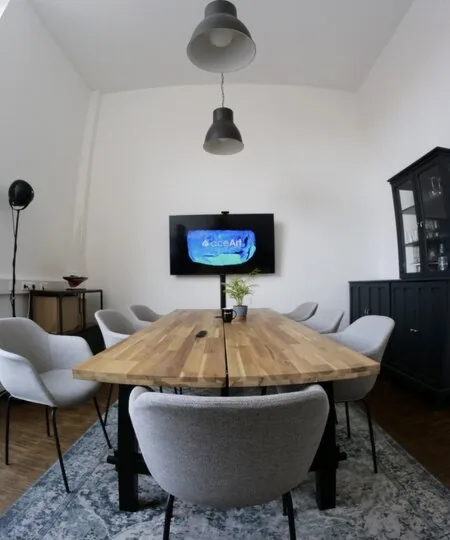
Meeting room with a wooden table, chairs and a screen on the wall
The meeting room in Stuttgart-Feuerbach, where on-site training takes place

Training takes place at your offices or in ours in Stuttgart. For teams in Munich and the rest of southern Germany, the journey is a scheduling question rather than a cost.

For development teams

When development is to happen in-house, the subject is structure rather than operation. Where things sit in the sitepackage, how TypoScript and Fluid work together, which extension points are intended, and which interventions come back to bite at the next update.

We work on the existing code for this, because abstract examples transfer badly to an installation that has grown over years.

Three shapes

Editors

Creating pages, maintaining content, placing images, setting links, using workspaces and preview. Plus the editorial share of accessibility and visibility.

Administrators

Users and groups, permissions, page structure, file handling, recycler and log. Anyone administering TYPO3 in-house should know these tools.

Developers

A way into sitepackage structure, TypoScript, Fluid and the extension points. For teams that want to work on it themselves in future.

Small groups

So questions get asked and we stay with your real cases instead of general examples.

Notes afterwards

A short guide written for your installation. Not a copy of the general manual that nobody opens.

A follow-up

A second, shorter session a few weeks later, once the first real questions have surfaced.

Common questions

How long does editor training take?

Half a day usually covers the basics, provided the installation is tidy and the group stays small. Add a lot of custom content elements, several languages or an approval workflow and it grows.

We agree the scope beforehand, after seeing what the editorial team actually works with.

Online or on site?

Both work. Online is practical because everyone sits at the machine they know and can try things straight away in their own environment.

On site has the edge when the group is larger, or when organisational questions need settling alongside, which is harder over a video call.

Can you train individuals?

Yes. For new colleagues joining a team that already knows the system, a short one-to-one session is often more effective than a full course.

It also makes sense when someone takes on a particular job, such as maintaining one language version or managing user permissions.

What should participants bring?

Their own login to the installation and, if possible, a real task that is due anyway. Practising on a real page sticks better than working through an invented example.

No prior TYPO3 knowledge is needed for the editor training. Being comfortable with a computer is enough.

Training on the horizon?

Tell us who is taking part and what they deal with day to day. We will build a session around that and around your installation.